
Best SD Cards For Creality Ender 3 V3
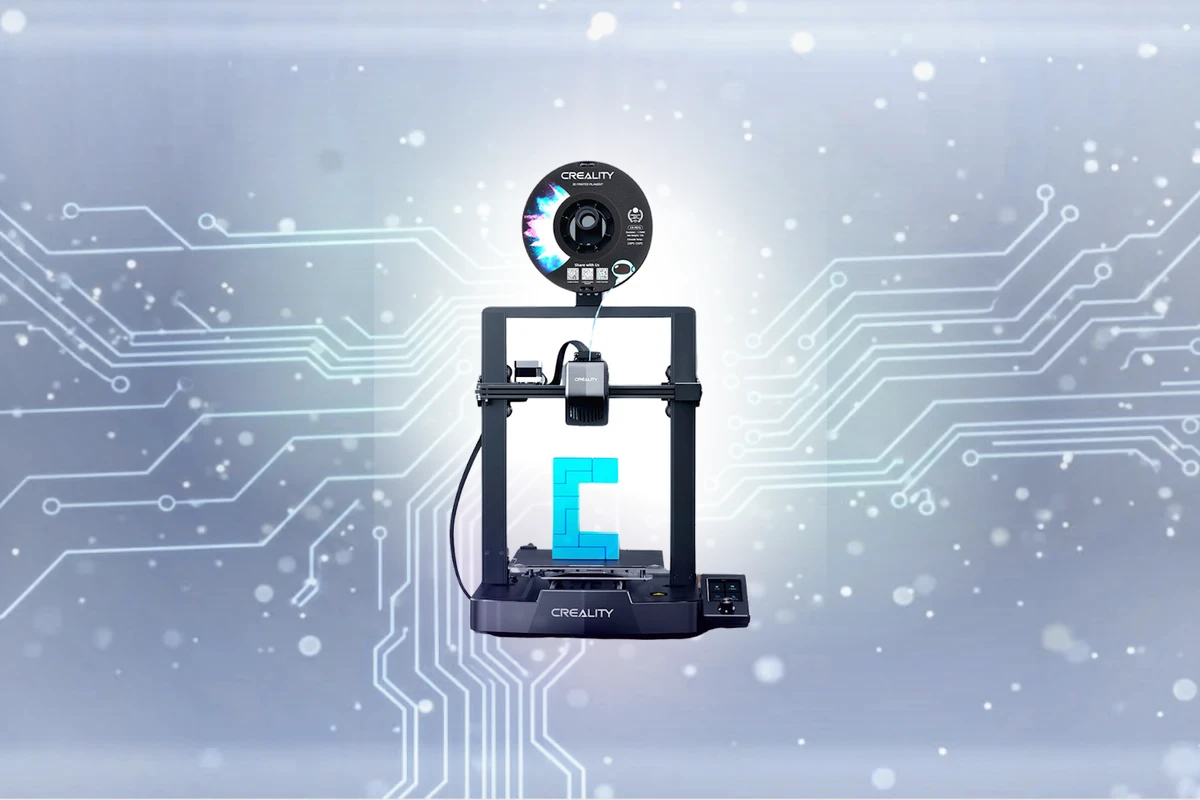
Expert recommendations based on Creality Ender 3 V3 SE specifications
Recommended Spec
Full-size SD (UHS-I) (Class 10 / U1 or faster)
Unlike most modern printers, the budget-favorite Ender 3 V3 SE takes a full-size SD card (it also has a USB-C port) — easier to handle than a fiddly microSD and what the bundled card uses.
Contains affiliate link
#1 Top Pick for Creality Ender 3 V3
View Top Recommendation
Check Price
Official Creality Ender 3 V3 SD Card Requirements
-
Format: Full-size SD (UHS-I)
-
Minimum Speed: Class 10 / U1 (10 MB/s write)
-
Maximum Capacity: Up to 128GB (FAT32)
Why these requirements? Unlike most modern printers, the budget-favorite Ender 3 V3 SE takes a full-size SD card (it also has a USB-C port) — easier to handle than a fiddly microSD and what the bundled card uses. Requirements are minimal: a basic Class 10 / U1 card reads G-code with room to spare, and there's no benefit to a fast or high-capacity card. As with the rest of the Ender line, the real-world gotcha is formatting: 'SD card not reading' almost always means the card is exFAT or NTFS instead of FAT32, or the cheap bundled card has worn out. Keep it at 32GB or under, format FAT32, and use a genuine name-brand card.
Detailed Specifications
Type
Full-size SD (UHS-I)
Min Speed Class
Class 10 / U1
Write Speed
10 MB/s
Recommended Size
16GB, 32GB
Max Capacity
128GB (FAT32)
Top SD Card Recommendations
This website contains affiliate links. We may earn a small commission when you purchase through our links at no extra cost to you.
| SD Card | Verified | Speed Class | Write Speed | Pros | Price |
|---|---|---|---|---|---|

SanDisk Ultra SD UHS-I
|
C10 | Up to 40 MB/s |
|
$ Check Price | |
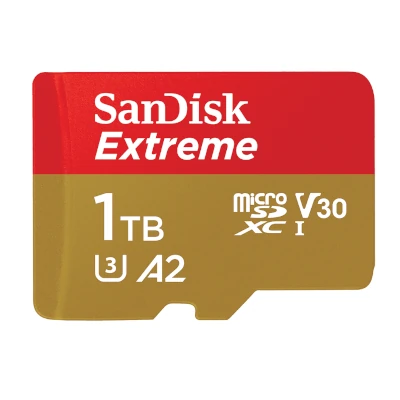
SanDisk Extreme SD UHS-I
|
V30 | Up to 90 MB/s |
|
$ Check Price | |
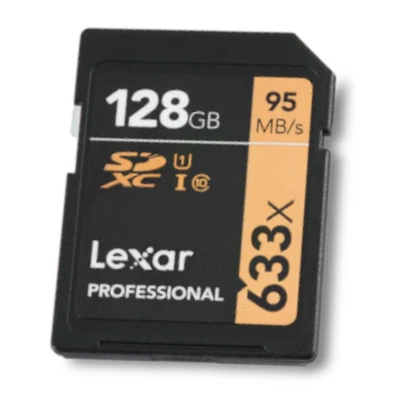
Lexar Professional 633x SD (Blue Series)
|
V30 | Up to 45 MB/s |
|
$ Check Price |
SanDisk Ultra SD UHS-I
The SanDisk Ultra SD UHS-I is a reliable budget option for photographers looking to expand their storage capacity without breaking the bank, with read speeds of up to 120 MB/s and write speeds of up to 40 MB/s. Though not ideal for 4K or 8K video recording, it still offers a stable performance for everyday photo capture. Overall, it's a great choice for casual photographers.
Target User:
Budget-conscious photographers, hobbyists, and enthusiasts
Best For:
Smartphones & Tablets, Mirrorless Cameras, DSLR Cameras
Consider the Lexar Professional instead for slightly faster speeds, or the PNY Elite for a similar performance at a slightly higher price point.
SanDisk Extreme SD UHS-I
The SanDisk Extreme SD UHS-I is a reliable choice for those who need fast storage for their digital projects, delivering smooth performance and high-quality video playback. Its V30 speed class ensures stable and continuous recording, making it ideal for capturing crisp and seamless video. With read speeds up to 180 MB/s and write speeds up to 90 MB/s, the SanDisk Extreme sets the standard for mobile storage solutions. Whether you're a content creator, gamer, or videographer, this card is sure to meet your needs.
Target User:
Content creators, videographers, and mobile device users requiring high-speed storage
Best For:
Action Cameras, Smartphones & Tablets, Mirrorless Cameras
Consider the SanDisk Extreme over other mid-range options, such as the Lexar Professional 633x or the Kingston Canvas Reactor, which offer similar performance and reliability without the added luxury features.
Lexar Professional 633x SD (Blue Series)
The Lexar Professional 633x SD provides excellent value for budget-conscious creators, supporting high-quality video capture and data transfer at up to 95 MB/s. Its V30 speed class ensures smooth write performance, even with demanding applications. Ideal for everyday use, this SD card offers a reliable and affordable solution for storing and transferring files. With its reliable performance, it's a great choice for those who need a budget-friendly option without sacrificing too much quality.
Target User:
Hobbyists, amateur filmmakers, and professionals on a budget
Best For:
Mirrrorless Cameras, DSLR Cameras, Smartphones & Tablets
Consider this option over more expensive alternatives when seeking a budget-friendly solution with reliable performance. In comparison to some entry-level options, this card is a significant step up, but may not keep pace with more high-end alternatives. However, for those on a tight budget, it's a great way to avoid overspending on SD card capacity and speed.
Featured Products on Amazon
This website contains affiliate links. We may earn a small commission when you purchase through our links at no extra cost to you.

Kingston Canvas Go Plus 128GB microSD Card | Up to 200MB/s | Class 10, UHS-I, U3, V30, A2 | SDCG4/128GB
$Check Price
View on Amazon

Kingston Canvas Go Plus 64GB microSD Card | Up to 200MB/s | Class 10, UHS-I, U3, V30, A2 | SDCG4/64GB
$Check Price
View on Amazon

SANDISK 128GB Extreme microSD UHS-I Card - Up to 245MB/s Read Speed and 120MB/s Write Speed, 5.3K Video, 4K UHD Video, high-Performance for Action cams, Drones, Android Devices - SDSQXH9-128G-GZ6MA
$Check Price
View on Amazon
Frequently Asked Questions
What SD Card Do I Need for Creality Ender 3 V3 SE?
The Creality Ender 3 V3 SE requires a Full-size SD (UHS-I) card with Class 10 / U1 speed rating for reliable performance. We recommend 32GB capacity as the sweet spot balancing storage capacity with affordability. The device supports up to 128GB (FAT32), though most users find 32GB sufficient for daily use. Always choose from trusted brands like SanDisk, Lexar, or Kingston to ensure consistent performance and avoid data loss.
Does the Ender 3 V3 SE use a microSD or full-size SD card?
A full-size SD card — not microSD. This is a deliberate choice by Creality (full-size cards are easier to handle and harder to lose). It also has a USB-C port as an alternative way to load files.
Why won't my Ender 3 V3 SE read the SD card?
Nearly always a format problem. The V3 SE needs the card formatted as FAT32; cards formatted exFAT/NTFS, or larger than 32GB (which default to exFAT), won't be read. Reformat to FAT32 at 32GB or under, and replace the worn bundled card if it persists.
What size and speed SD card is best for the V3 SE?
16-32GB, Class 10 / U1. Print files are small and the printer reads them slowly, so a fast U3/V30 card buys you nothing. Staying at 32GB or under also sidesteps FAT32 formatting hassle.
Is Class 10 / U1 required for Creality Ender 3 V3 SE?
Yes, Class 10 / U1 is recommended for Creality Ender 3 V3 SE. It guarantees a minimum sustained write speed of 10 MB/s, which is necessary for stable recording without dropped frames or errors.
What storage capacity should I get for Creality Ender 3 V3 SE?
We recommend 16GB or 32GB cards. A 16GB card is good for typical use, with 128GB (FAT32) as the maximum supported capacity. Larger sizes are useful if you shoot frequently and want to minimize card swaps.
Can I use older or slower cards with Creality Ender 3 V3 SE?
Not recommended. Cards slower than Class 10 / U1 may cause dropped frames, corrupted files, or recording failures. Always use Class 10 / U1 minimum for reliability.
Do I need a UHS card for Creality Ender 3 V3 SE?
UHS cards are recommended for best performance with Creality Ender 3 V3 SE. Non-UHS cards will work but may have slower transfer speeds. For this device, UHS-II is optimal.
Does the brand matter for Creality Ender 3 V3 SE?
Yes, trusted brands like SanDisk, Lexar, and Kingston are recommended. Quality brands have better reliability and warranty support. Avoid unknown brands, especially for demanding devices.
What happens if I use the wrong card with Creality Ender 3 V3 SE?
Using cards slower than Class 10 / U1 can cause: dropped frames during recording, corrupted files, or complete recording failure. Stick to Class 10 / U1 minimum to avoid data loss.
How long will an SD card last with Creality Ender 3 V3 SE?
Quality SD cards typically last 3-5 years with normal use. Replace your card if you experience read/write errors, corrupted files, or if it's been dropped or exposed to extreme conditions.