
Best SD Cards For Retroid Pocket 6

Expert recommendations based on Retroid Pocket G2 specifications
Recommended Spec
microSDXC UHS-I (U3 / V30 or faster)
The Pocket G2 slots into Retroid's Android lineup alongside the Pocket 6, aimed at PS2, GameCube, and Switch emulation.
Contains affiliate link
#1 Top Pick for Retroid Pocket G2
View Top Recommendation
Check Price
Official Retroid Pocket G2 SD Card Requirements
-
Format: microSDXC UHS-I
-
Minimum Speed: U3 / V30 (30 MB/s write)
-
App Performance: A2 (recommended) (Required for OS/Apps)
-
Maximum Capacity: Up to 2TB (theoretical)
Why these requirements? The Pocket G2 slots into Retroid's Android lineup alongside the Pocket 6, aimed at PS2, GameCube, and Switch emulation. Those ROM/ISO libraries are far larger than 8/16-bit retro sets, so a card that's only rated for sequential speed isn't enough — A2's random read/write performance is what keeps menu navigation and asset loading smooth when the OS and games both live on the microSD card. V30 covers the sustained write side for downloading and copying large files onto the card.
Detailed Specifications
Type
microSDXC UHS-I
Min Speed Class
U3 / V30
Write Speed
30 MB/s
Recommended Size
512GB, 1TB
Max Capacity
2TB (theoretical)
Top SD Card Recommendations
This website contains affiliate links. We may earn a small commission when you purchase through our links at no extra cost to you.
| SD Card | Verified | Speed Class | Write Speed | Pros | Price |
|---|---|---|---|---|---|
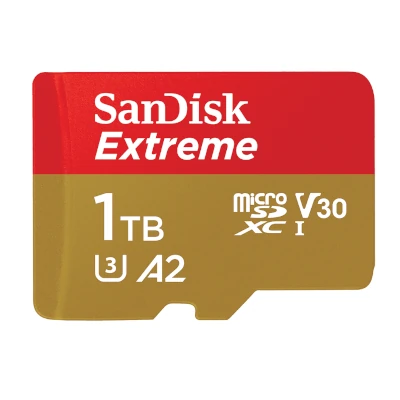
SanDisk Extreme microSD
Full Review
|
V30 | Up to 130 MB/s |
|
$ Check Price | |
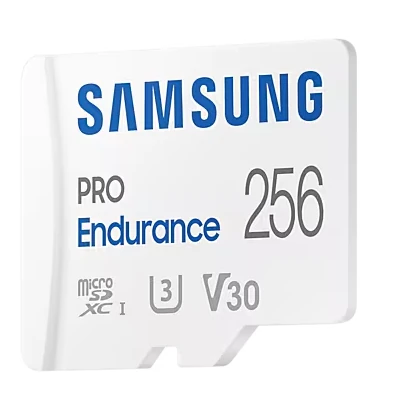
Samsung PRO Plus microSD
Full Review
|
V30 | Up to 120 MB/s |
|
$ Check Price | |
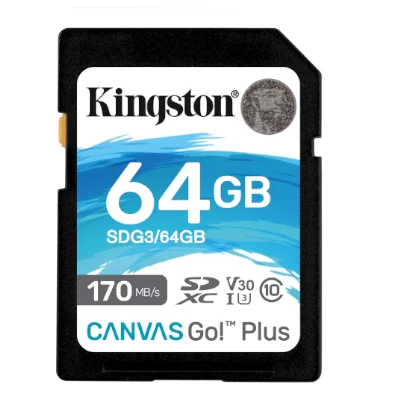
Kingston Canvas Go! Plus
|
V30 | Up to 90 MB/s |
|
$ Check Price |
Compare These Cards
Open in full compare toolSee how the recommended cards for Retroid Pocket G2 stack up side by side, or swap in any other card.
recommended
View on Amazon
SanDisk Extreme microSD
$ · Mid-Range- UHS RatingUHS-I
- Speed ClassV30
- App PerformanceA2
- Read SpeedUp to 190 MB/s
- Write SpeedUp to 130 MB/s
- EnduranceStandard
Available Capacities32GB, 64GB, 128GB, 256GB, 512GB, 1024GB, 1500GB
Pros
- The gold standard. Fast
- reliable
- A2 rated
- and widely available.
Cons
- Write speeds are slower on 32GB/64GB capacities.
recommended
View on Amazon
Samsung PRO Plus microSD
$ · Mid-Range- UHS RatingUHS-I
- Speed ClassV30
- App PerformanceA2
- Read SpeedUp to 160 MB/s
- Write SpeedUp to 120 MB/s
- EnduranceStandard
Available Capacities64GB, 128GB, 256GB, 512GB, 1024GB
Pros
- Excellent performance for 4K video. Great thermal management. Durable design.
Cons
- More expensive than Samsung EVO Select.
recommended
View on Amazon
Kingston Canvas Go! Plus
$ · Mid-Range- UHS RatingUHS-I
- Speed ClassV30
- App PerformanceA2
- Read SpeedUp to 170 MB/s
- Write SpeedUp to 90 MB/s
- EnduranceStandard
Available Capacities64GB, 128GB, 256GB, 512GB
Pros
- Fantastic performance. Often includes a fast reader.
Cons
- Harder to find in retail stores than SanDisk.
SanDisk Extreme microSD
The SanDisk Extreme microSD is the best-selling microSD card on Amazon, pairing V30 video speed with A2 app performance and read speeds up to 190 MB/s. It's a dependable all-rounder for 4K recording, app storage, and everyday file transfers, with capacities ranging from 32GB up to 1TB.
Target User:
Smartphone, drone, and action camera users who want one reliable card for both 4K video and app storage
Best For:
Action Cameras, Drones, Smartphones & Tablets, Mirrorless Cameras
Step up to the SanDisk Extreme PRO for higher sustained write speeds, or down to the Samsung EVO Select if 4K recording isn't a priority and price matters more.
Samsung PRO Plus microSD
The Samsung PRO Plus microSD offers excellent performance for 4K video recording, providing seamless playback and smooth editing. Its A2 App Performance Class ensures fast launching of mobile apps and efficient storage. With its durable design and excellent thermal management, users can rely on this microSD for heavy usage. Suitable for professionals and enthusiasts alike.
Target User:
Content creators, photographers, and videographers
Best For:
Action Cameras, Mirrorless Cameras, DSLR Cameras, Smartphones & Tablets
Choose Samsung PRO Plus over competitors with similar V30 speed class for its superior thermal management and reliable durability.
Featured Products on Amazon
This website contains affiliate links. We may earn a small commission when you purchase through our links at no extra cost to you.

Kingston Canvas Go Plus 128GB microSD Card | Up to 200MB/s | Class 10, UHS-I, U3, V30, A2 | SDCG4/128GB
$Check Price
View on Amazon

Kingston Canvas Go Plus 64GB microSD Card | Up to 200MB/s | Class 10, UHS-I, U3, V30, A2 | SDCG4/64GB
$Check Price
View on Amazon

SANDISK 128GB Extreme microSD UHS-I Card - Up to 245MB/s Read Speed and 120MB/s Write Speed, 5.3K Video, 4K UHD Video, high-Performance for Action cams, Drones, Android Devices - SDSQXH9-128G-GZ6MA
$Check Price
View on Amazon
Frequently Asked Questions
What SD Card Do I Need for Retroid Pocket G2?
The Retroid Pocket G2 requires a microSDXC UHS-I card with U3 / V30 speed rating for reliable performance. We recommend 1TB capacity as the sweet spot balancing storage capacity with affordability. The device supports up to 2TB (theoretical), though most users find 1TB sufficient for daily use. Always choose from trusted brands like SanDisk, Lexar, or Kingston to ensure consistent performance and avoid data loss.
Is A2 rating important for the Retroid Pocket G2?
Yes. When Android apps, custom launchers, and game files all run off the microSD card, A2's random IOPS performance is what keeps menus and emulator loading responsive — a card without it will feel noticeably sluggish even if its sequential speeds look fine on paper.
How much storage do I need on the Pocket G2?
512GB is a solid starting point, but 1TB is recommended if you're emulating PS2, GameCube, or Switch titles. Those systems' game files are dramatically larger than classic retro ROMs and will fill a smaller card quickly.
Is V30 required for Retroid Pocket G2?
Yes, V30 is recommended for Retroid Pocket G2. It guarantees a minimum sustained write speed of 30 MB/s, which is necessary for stable professional recording without dropped frames or errors.
What storage capacity should I get for Retroid Pocket G2?
We recommend 512GB or 1TB cards. A 512GB card is good for typical use, with 2TB (theoretical) as the maximum supported capacity. Larger sizes are useful if you shoot frequently and want to minimize card swaps.
Can I use older or slower cards with Retroid Pocket G2?
Not recommended. Cards slower than U3 / V30 may cause dropped frames, corrupted files, or recording failures. Always use U3 / V30 minimum for reliability.
Do I need a UHS card for Retroid Pocket G2?
UHS cards are recommended for best performance with Retroid Pocket G2. Non-UHS cards will work but may have slower transfer speeds. For this device, UHS-II is optimal.
Should I use more than one card with Retroid Pocket G2?
For professional use or extended shooting sessions, dual cards provide redundancy and backup. Using multiple cards ensures you won't lose footage if one card fails. This is especially important for valuable recordings.
Does the brand matter for Retroid Pocket G2?
Yes, trusted brands like SanDisk, Lexar, and Kingston are recommended. Quality brands have better reliability and warranty support. Avoid unknown brands, especially for demanding devices.
What happens if I use the wrong card with Retroid Pocket G2?
Using cards slower than U3 / V30 can cause: dropped frames during recording, corrupted files, or complete recording failure. Stick to U3 / V30 minimum to avoid data loss.
How long will an SD card last with Retroid Pocket G2?
Quality SD cards typically last 3-5 years with normal use. Replace your card if you experience read/write errors, corrupted files, or if it's been dropped or exposed to extreme conditions.